Introduction to WCF Web API - New REST Face of .NET
This blog post will give you an introduction to WCF Web API and show you how to get started with WCF Web API along with Dependency Inject support with Ninject.
21 November 2011
8 minutes read
Related Posts





24 February 2012
WCF Web API is now ASP.NET Web API and has changed a lot. The beta version is now available. For more information: Getting Started With ASP.NET Web API - Tutorials, Videos, Samples.
 Microsoft Web Platform is evolving. I mean really evolving. Scott Hanselman, Phil Haack, Glenn Block and Damian Edwards are the main actors for this evolution.
One of the biggest frustration we had as web developers was to face with the endless configurations with WCF. I mean, WCF is great but hasn’t been embraced the REST since the WCF Web API framework. There was something called REST Starter Kit but it ended up dead.
Yes, WCF Web API. WCF Web API is the new way of exposing and consuming APIs over http in .NET. The unofficial (not sure, maybe the official one) slogan of WCF Web API is this:
"Making REST a first class citizen in .NET"
I stole (or quoted would be nicer) the real sentences which explain the WCF Web API from the official WCF Web API page (I hope they don’t mind):
What is WCF Web API?
Applications are continually evolving to expose their functionality over the web for example social services like Flickr, Twitter and Facebook. Aside from social applications, organizations are also looking to surface their core enterprise business functionality to an ever expanding array of client platforms. WCF Web API allows developers to expose their applications, data and services to the web directly over HTTP. This allows developers to fully harness the richness of the HTTP as an application layer protocol. Applications can communicate with a very broad set of clients whether they be browsers, mobile devices, desktop applications or other backend services. They can also take advantage of the caching and proxy infrastructure of the web through providing proper control and entity headers. We are designing specifically to support applications built with a RESTful architecture style though it does not force developers to use REST. The benefits of REST for your applications include discoverability, evolvability and scalability.
The project is still at the preview stage and we are swimming in the dark sea. There are lots of rumors going around about it and most of them are nearly certain to be true. One of them is that WCF Web API and ASP.NEt MVC will be blood brothers in near future. In plain English, they will be merged together. This will be exciting and we won’t feel ourselves in a fork in the road when we need to pick ASP.NET MVC or WCF Web API in order to expose our data over http.
Cut the crap and show me the code
Well, when I first saw the WCF Web API, I told myself that this’s it! Why I told that? Because it is extremely easy to get started and going from there. I am interested in WCF as well but its configuration is endless so I haven’t been able to develop a decent project with WCF so far (maybe the problem is me, who knows!). Be careful here though, WCF is not gone! It is still the way to go with for SOAP based services.
Let’s see how we get started developing a Web API with WCF Web API (this sentence is like a poem  ).
).
First of all, open up your VS and create a new ASP.NET Empty Web Application (this one is real empty guys unlike ASP.NET MVC 3 Empty Web Application):


I told you it is real empty. Anyway, let’s stick to the point here Now, bring up the NuGet PMC (Package Manager Console) and install the package called WebApi.All:

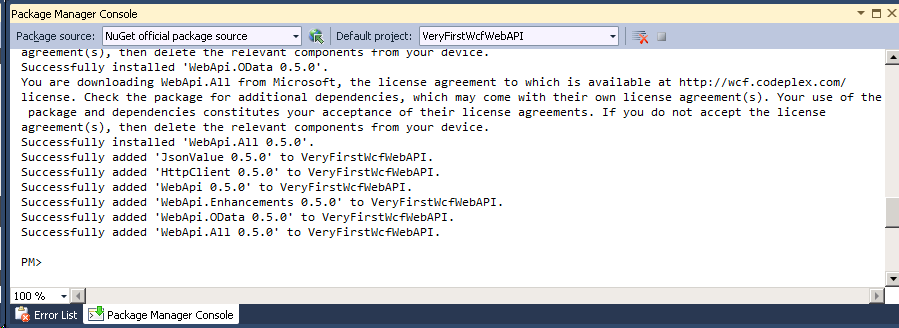
Let’s look what we got:
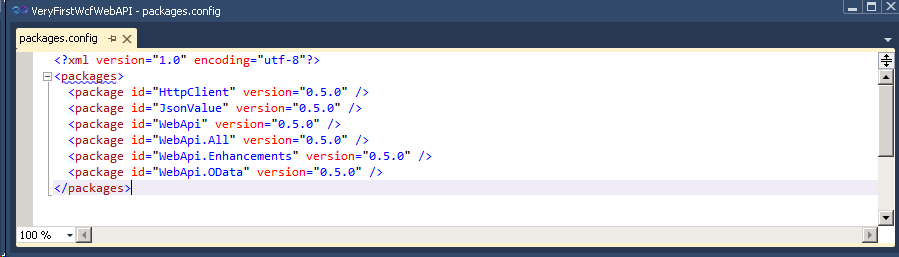
All the packages we have pulled is individual packages. For example, if you are consuming web services on the server side, HttpClient package will help you a lot. I think all of those packages will be baked-in for .NET 4.5 so we will see a lot samples for those.
One thing that I looked when I first bring up this package is Web.Config file because I wondered how giant it was. It comes to me as a shock and it will for you, too:
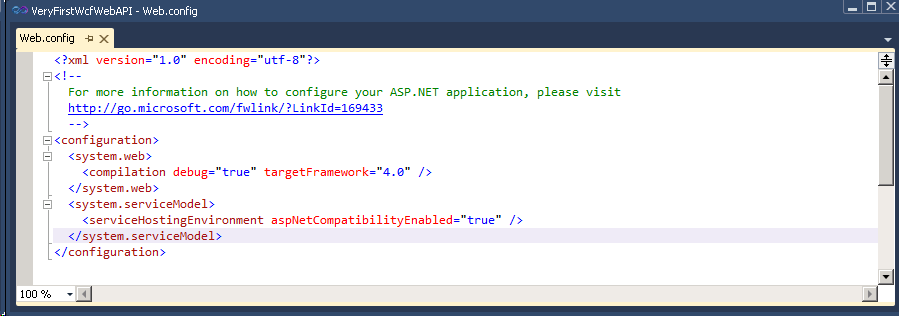
3 lines of code which is special to WCF Web API. This is awesome. So, where do we configure the stuff. First of all, if you would like to get started you do not need to make any configuration. We will see how in a minute. Web API comes with default configuration and this can be overridden in any steps. You can set your default configuration. One of your APIs needs different configuration? Don’t change the default one. Configure it separately. So, it is really a convention. Best part is that it is all done with code, I mean inside Global.asax.
For the sake of this demo, I created a dummy data to play with. It is really simple as follows (I will put up the source code online, you can check out what is in there):

I implemented the repository pattern here with an interface. I did that because I would like to show you how easy is to get going along with Dependency Injection (DI) here.
In order to create our API, we need to create a separate class. I put it under People folder and named it PeopleApi but where it stands and what name it carries don’t matter here.
I would like to go with the simplest approach firstly. Here is how PeopleApi class looks like:
using System;
using System.Collections.Generic;
using System.Linq;
using System.Net.Http;
using System.ServiceModel;
using System.ServiceModel.Web;
using System.Web;
using VeryFirstWcfWebAPI.People.Infrastructure;
using VeryFirstWcfWebAPI.People.Models;

namespace VeryFirstWcfWebAPI.People {

    [ServiceContract]
    public class PeopleApi {

        private readonly IPeopleRepository _repo = new PeopleRepository();

        [WebGet]
        public HttpResponseMessage<IQueryable<Person>> Get() {

            var model = _repo.GetAll();

            var responseMessage = new HttpResponseMessage<IQueryable<Person>>(model);
            responseMessage.Content.Headers.Expires = new DateTimeOffset(DateTime.Now.AddHours(6));

            return responseMessage;
        }

    }
}
When we observe this class a little bit carefully, we see some staff going on there:
- You API class needs to be annotated with ServiceContractAttribute. This is must to do (@gblock said at the //Build conference that we are still in love with attributes but we are trying to get rid of them...).
- The methods inside your class needs to have some special attributes like WebGetAttribute and WebInvokeAttribute. If you put them without UriTemplate property, it assumes that the method is for root of the URL.
Also, another thing to notice here is we are returning our model by wrapping it up with HttpResponseMessage class. You don’t have to do that. You can just return your object but if you need to add some special headers or response message code, it is nice way to do it that way as we set here our expires header.
As I mentioned before, there is no configuration at all in the web.config but we still need to do some configuration to tell the system to figure out what to do.
Add a Global Application Class under the root of your project:
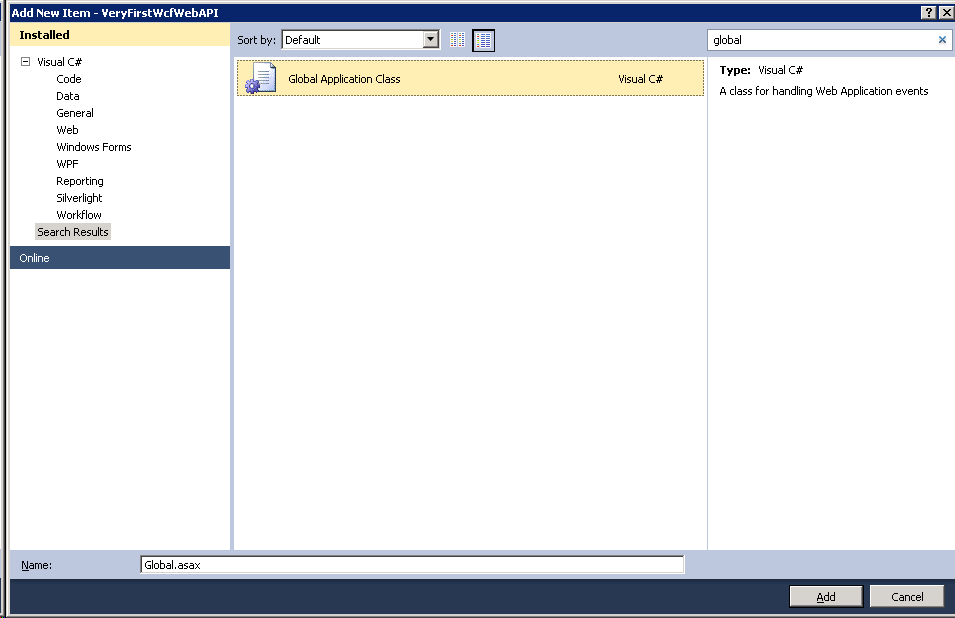
Inside the Application_Start method, here is our initial set up to get going:
using System;
using System.Collections.Generic;
using System.Linq;
using System.Web;
using System.Web.Routing;
using System.Web.Security;
using System.Web.SessionState;

namespace VeryFirstWcfWebAPI {

    public class Global : System.Web.HttpApplication {

        protected void Application_Start(object sender, EventArgs e) {

            RouteTable.Routes.SetDefaultHttpConfiguration(new Microsoft.ApplicationServer.Http.WebApiConfiguration() {
            });

            RouteTable.Routes.MapServiceRoute<People.PeopleApi>("Api/People");
        }

    }
}
What we do here is so simple:
- We are initializing the WCF Web API with default configuration.
- We specifically register our API with a base URL structure as route prefix.
As we have folder called People under the root of out application, if you put People as route prefix there, you will see that your API won’t work and you will get 404. I am nearly sure that it is related to routing.
I haven’t figured out how to solve this issue and I tried to Ignore that folder but it didn’t work either.
We are ready to run:
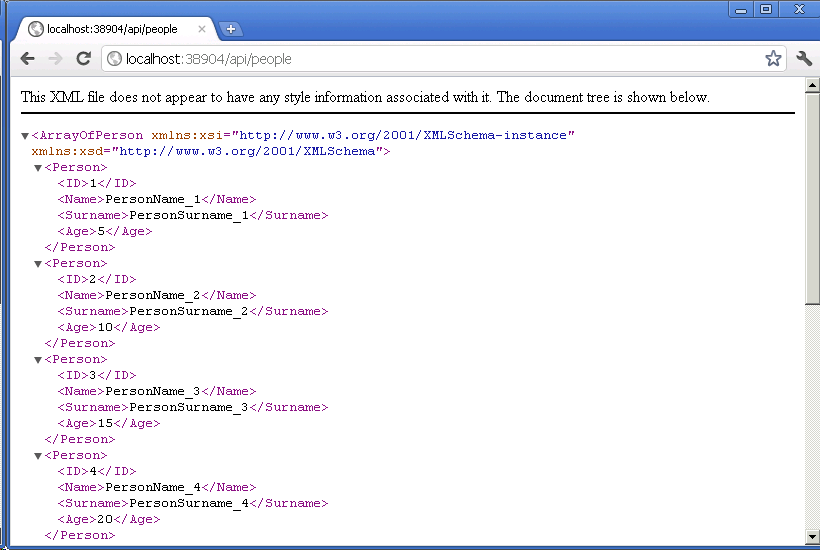
This is good for a start. We didn’t suffer much. Now, it is time for us to think of the possible enhancements.
Dependency Injection and IoC Container Support
As you probably noticed, I "newed" up the repository inside our API class:
private readonly IPeopleRepository _repo = new PeopleRepository();
This thing made my application tightly-coupled and it is not good. Here I have a static data resource and it is not much of a problem but if we had database related data structure here, this would make it hard for us to unit test our application.
In order to get around for this, we need to figure out a way to new up the resource outside of our context and WCF Web API offers really good extensibility point here. I won’t really extend and customize our configuration much here in order to stick with the basics but I will probably blog about that either.
First of all, let’s make our API class a little DI friendly:
    [ServiceContract]
    public class PeopleApi {

        private readonly IPeopleRepository _repo;

        public PeopleApi(IPeopleRepository repo) {
            _repo = repo;
        }

        [WebGet]
        public HttpResponseMessage<IQueryable<Person>> Get() {

            var model = _repo.GetAll();

            var responseMessage = new HttpResponseMessage<IQueryable<Person>>(model);
            responseMessage.Content.Headers.Expires = new DateTimeOffset(DateTime.Now.AddHours(6));

            return responseMessage;
        }

    }
What we do here enables someone else to provide the resource so our API class is now loosely-coupled. I would like to see what happens when we run the app like this:
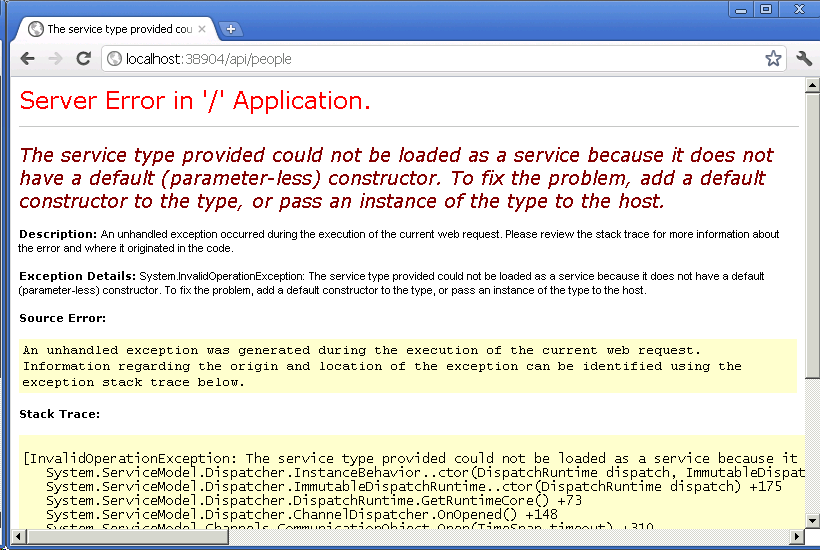
We got an error:
The service type provided could not be loaded as a service because it does not have a default (parameter-less) constructor. To fix the problem, add a default constructor to the type, or pass an instance of the type to the host.
The system needs a parameter-less constructor as default. Let’s see how we get around with this.
Now, we need to provide those resources outside of our context but where? Let’s first bring down a IoC container. I am fan of Ninject so I will use it here as well:
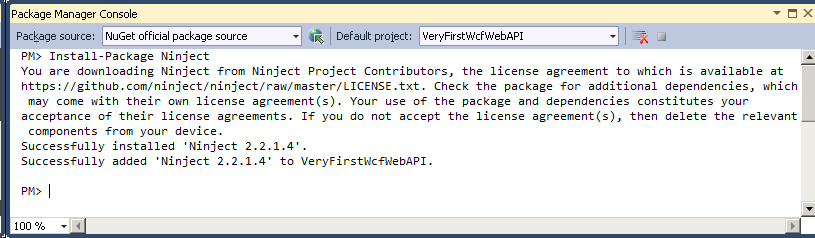
After we install Ninject through NuGet, I added the following code inside my Global.asax file:
private IKernel GetKernel() {

    IKernel kernel = new StandardKernel();

    kernel.Bind<People.Infrastructure.IPeopleRepository>().
        To<People.Models.PeopleRepository>();

    return kernel;
}
This will provide us the resources we need. Now, we need to tell WCF Web API to use this provider to create instances. Believe it or not, it is extremely easy to do that. Remember our default configuration object, WebApiConfiguration class? We will register our IoC container there:
RouteTable.Routes.SetDefaultHttpConfiguration(new Microsoft.ApplicationServer.Http.WebApiConfiguration() {
    CreateInstance = (serviceType, context, request) => GetKernel().Get(serviceType)
});
We are passing a delegate here for CreateInstance property of our WebApiConfiguration class. When we run the application, we should see it working:
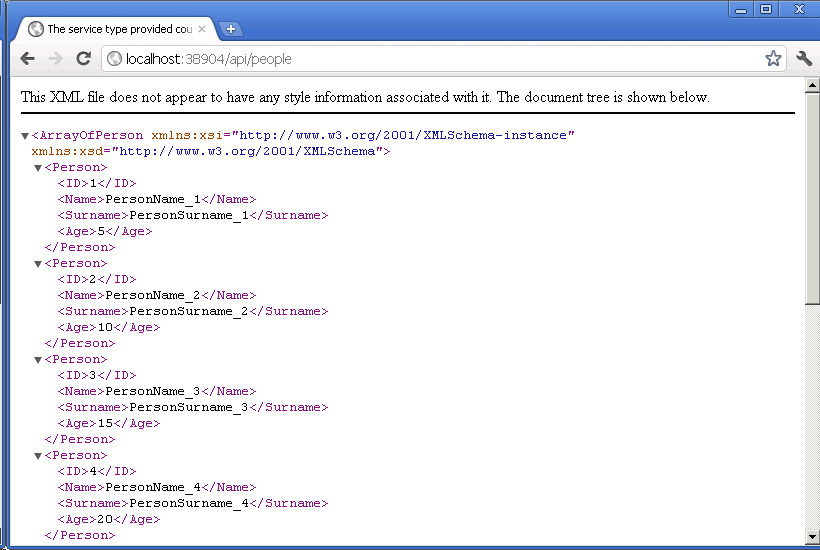
So nice to do something like that without much effort.
There is so much to show but I think this is enough for an intro (which I write on the stage of preview 5, I am little late  ). I am sure that you get the idea here.
You can find the full code on GitHub: https://github.com/tugberkugurlu/VeryFirstWcfWebAPI

Hey, I'm Tugberk 👋
Coder 👨🏻💻, Speaker 🗣, Author 📚, ex-Microsoft MVP 🕸, Blogger 💻
I live in London, UK 🏡
