Remove Trailing Slash From the URLs of Your ASP.NET Web Site With IIS 7 URL Rewrite Module
One of the aspect of SEO (Search Engine Optimization) is canonicalization. In this blog post, we will see how easy to work with IIS Rewrite Module in order to remove evil trailing slash from our URLs
11 September 2011
4 minutes read
Related Posts





One of the aspect of SEO (Search Engine Optimization) is canonicalization. Canonicalization is the process of picking the best URL when there are several choices according to Matt Cutts, the head of Google’s Webspam team.
Here is how Matt Cutts explains what canonical URL is :
“Sorry that it’s a strange word; that’s what we call it around Google. Canonicalization is the process of picking the best URL when there are several choices, and it usually refers to home pages. For example, most people would consider these the same URLs:
- www.example.com
- example.com/
- www.example.com/index.html
- example.com/home.asp
But technically all of these URLs are different. A web server could return completely different content for all the URLs above.”
If you have multiple ways of reaching your web page (as above), then you need to sit down because it is time to make some decisions my friends.
Trailing Slash is Evil
Let’s assume that we have created a web application, an ASP.NET MVC app because we are so cool. We have our pretty URLs as well.
Let’s go to a page on our web site :
http://localhost:55050/Home/About
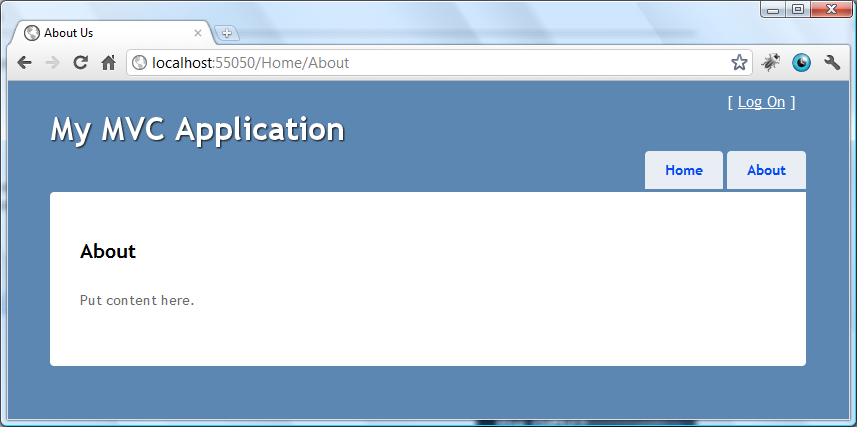
And another page :
http://localhost:55050/Home/About/
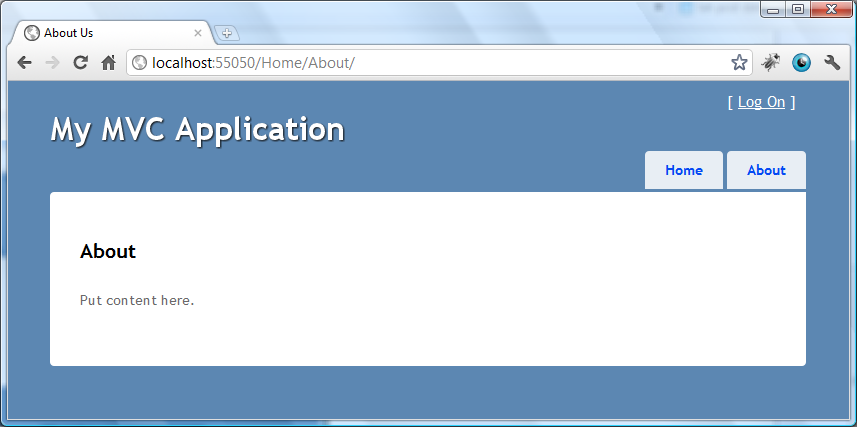
We have got the same page content. As we have mentioned before, these two will be treated as two different web page and it will confuse the search engine a bit (even if they are so smart today).
The solution is pretty simple : when a page is requested with trailing slash, then make a 301 (permanent) redirect to the non-trailing-slash version.
IIS URL Rewrite Module
There are several ways of doing that with ASP.NET architecture :
- You could write your own HttpModule to handle this.
- You could do a poor man’s redirection on your controller (on your page load if the application is a web forms application).
- You could use IIS URL Rewrite Module to easily handle this.
- And so on…
In this quick blog post, I will show how we can implement this feature for our whole web site with IIS Rewrite Module.
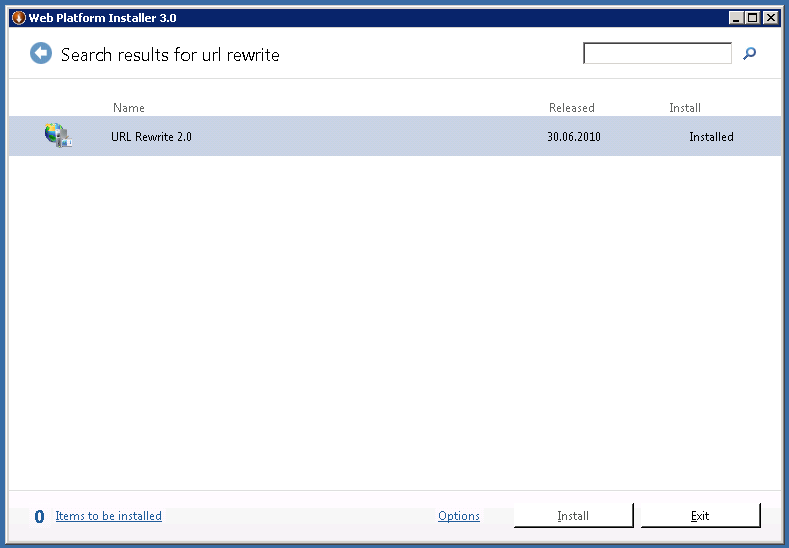
URL Rewrite Module is an awesome extension to IIS. Installing it to your web server is also pretty easy if you haven’t got it yet. Just run the Web Platform Installer on your server, and make a search for “url rewrite”. Then the filtered result will appear and you will see if it is installed or not :
After you have it, you will see the management section inside your IIS Manager under IIS section :

Cut the crap and show me the code
Now, we are all set up and ready to implement this feature. As it is usual nearly for all Microsoft products, there are thousands (ok, not thousand but still) of way to approach this feature but the easiest way of implementing it is to write the logic inside your web.config file.
As you already know, there is a node called system.webServer under the root configuration node. IIS Rewrite Module reserves a node under system.webServer section and allow us to configure the settings there pretty easily. What we will do is to only write the following code under system.webServer node :
<rewrite>
  <rules>

    <!--To always remove trailing slash from the URL-->
    <rule name="Remove trailing slash" stopProcessing="true">
      <match url="(.*)/$" />
      <conditions>
        <add input="{REQUEST_FILENAME}" matchType="IsFile" negate="true" />
        <add input="{REQUEST_FILENAME}" matchType="IsDirectory" negate="true" />
      </conditions>
      <action type="Redirect" redirectType="Permanent" url="{R:1}" />
    </rule>

  </rules>
</rewrite>
What this code does is to tell the module to remove the trailing slash from the url if there is one and make 301 permanent redirect to the new URL.
Don’t allow the code to freak you out. It might look complicated but there are good recourses out there to make you feel better. Here is one of them :
When you run your site after this implementation and navigate to /Home/About/, watch what is going to happen :
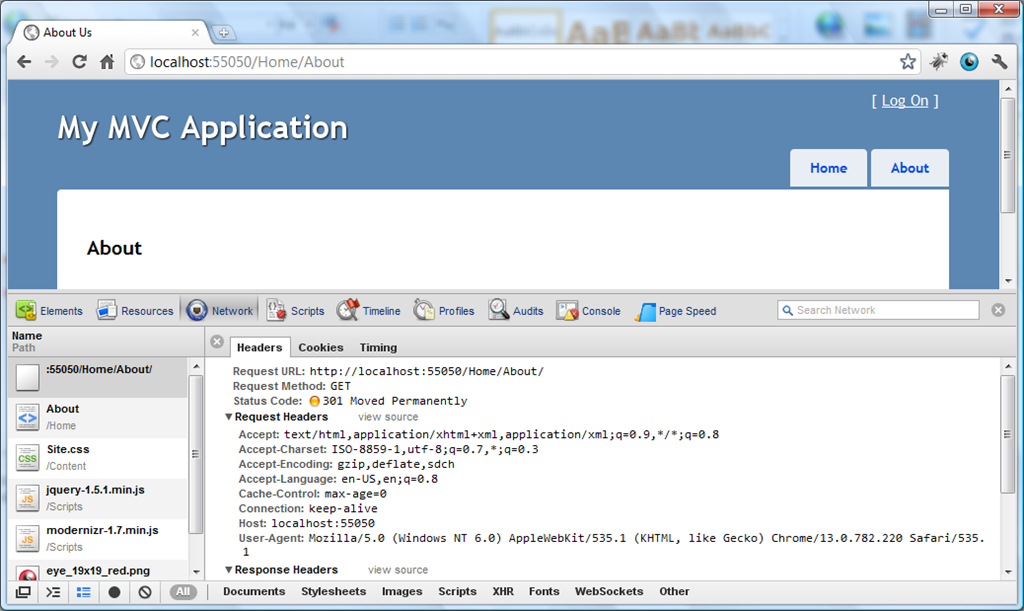
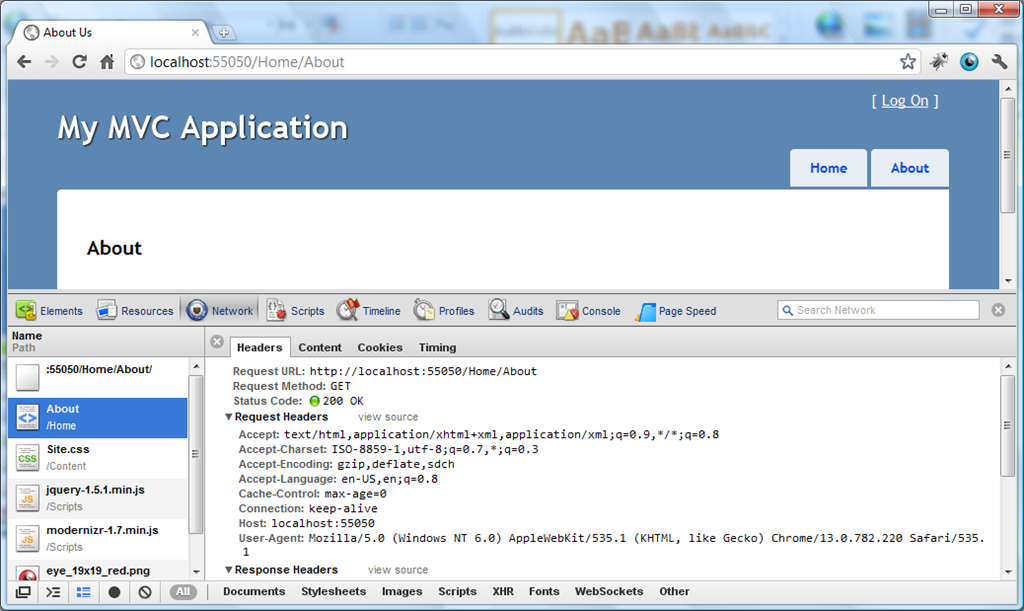
Isn’t that awesome? A little effort and perfectly clean way of implementing the 1 of a thousand parts of canonicalization.
Some Gotchas
- In your development environment, if you run your web site under Visual Studio Development Sever, you won’t be able to see this feature working. You need to configure your application to run under at least IIS Express to see this feature working.
- When you deploy your web site and see this feature not working on your server, it is highly possible that you misconfigured something on your server. One of the misconfiguration you might have done could be setting the overrideModeDefault attribute to Deny for rules under <sectionGroup name="rewrite"> inside your applicationHost.config file.
- If you are on a shared hosting environment and you see this feature not working, then ask your provider if they have given you the permission of configuring this part.

Hey, I'm Tugberk 👋
Coder 👨🏻💻, Speaker 🗣, Author 📚, ex-Microsoft MVP 🕸, Blogger 💻
I live in London, UK 🏡
